918Kiss (SCR888) download: getting the app, logging in and fixing install errors
What the 918Kiss (SCR888) app is, which builds it used to come in, why no files are hosted here, and how to install, log in and fix the usual errors.
Cartridge label
- Also known as
- SCR888
- Old builds (2018 page)
- iOS 64-bit, iOS 32-bit, Android APK
- Account
- Game ID and password issued by your account provider
- Files hosted here
- None
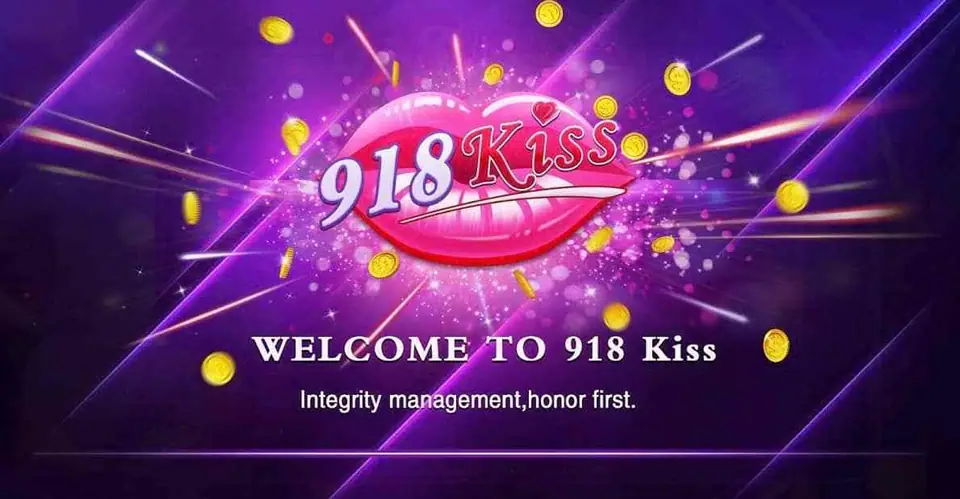
918Kiss is the app most Malaysian players still call SCR888. It is a single lobby of slot machines, fish shooting games, table games and quick arcade titles, all running on one wallet in RM. You open the app, log in with a game ID, and every game in the lobby draws from that same balance. The screenshot above is the welcome splash you see while it loads: pink lips logo, gold coins, "Integrity management, honor first" underneath.
This page used to be the most visited on the site because it carried the download buttons. Those buttons are gone. Here is why, and what to do instead.
The old 918Kiss builds: iOS 64-bit, iOS 32-bit and Android
The 2018 version of this page offered three separate files:
- iOS 64-bit for iPhone 5s and newer, iPad Air and iPad mini 2 onwards.
- iOS 32-bit for iPhone 5 and older.
- Android APK for any Android phone.
The 32-bit build is history. Apple stopped running 32-bit apps from iOS 11, so that file only ever mattered to people on very old iPhones. Today there is one iPhone build and one Android build, and both get replaced whenever the platform pushes a new version.
Why no 918Kiss files are hosted here
An installer that sits on a third-party site for years goes stale, and a stale 918Kiss app either refuses to log in or nags you to update. Worse, a file you did not get from your own provider could be anything. So we keep no APK or iOS link on scr888.men at all.
The clean route is to get the link and the ID from the same place. Ask for a 918Kiss game ID and the current app link and you receive both together, matched to the version the server expects.
Installing on Android
- Open the link on the phone itself, not on a PC.
- Android will warn that the browser is not allowed to install apps. Allow it for that one install.
- Tap the downloaded file and confirm.
- Go back to Settings and switch the "install unknown apps" permission off again for that browser.
If Play Protect flags the file, stop and check you really got the link from your provider before going further.
Installing on iPhone
Open the link in Safari and let the profile or app download. The icon appears, but tapping it gives an "Untrusted Developer" message the first time. Go to Settings > General > VPN & Device Management, tap the developer name listed for 918Kiss and choose Trust. The app then opens normally.

The 918Kiss login screen
After the splash, the app shows a plain login box with two fields: username (your game ID) and password. There is no working self sign-up inside the app; IDs are issued by the account provider. Type the ID exactly as given, since a swapped letter or an extra space is the most common reason a new login fails. Once in, change the password if your provider lets you.
Updating 918Kiss
When the server moves to a new version, the app tells you on launch. Delete the old app first, then install the new one from a fresh link. Installing over the top is what causes most Android errors. Nothing is lost: the ID and balance live on the server.
Common 918Kiss errors and fixes
- "App not installed" on Android: an older copy with a different signature is still on the phone. Uninstall it and try again.
- "Untrusted Enterprise Developer" on iPhone: trust the profile as described above. If the profile has vanished, the certificate was revoked and you need a new link.
- Stuck on the loading splash: switch between Wi-Fi and mobile data. Some networks block the game servers.
- "Version too old" or login refused: update, as above.
- Password rejected after many tries: the ID may be locked. Only the provider can reset it.
Once the app is in, the games themselves are covered one by one in the 918Kiss mini games section, for example Iceland and Sic Bo. For the other apps, see the download section, and keep an eye on the responsible gaming page before you top up.
Troubleshooting and questions
Is 918Kiss the same app as SCR888?
Yes. SCR888 was the older name and 918Kiss is the rebrand. Players still search for both, and the lobby, the games and the ID system carried over. If you still hold an old SCR888 ID, ask your provider whether it is still active.
Can I get 918Kiss from the App Store or Google Play?
No. It has never been a store app. The installer comes as a direct link from whoever issues your game ID, which is why the link changes from time to time.
Why does my old 918Kiss APK stop logging in?
The server usually refuses outdated versions. Delete the old app, get the current link from your provider and install that one. Your ID and balance sit on the server, not on the phone.
Do I need the 32-bit iOS build?
Only for an iPhone 5 or older, and those phones are now too old for current builds anyway. Any iPhone from the 5s onwards takes the standard 64-bit version.
Press start
Want to play it yourself? Get a game ID through our partner link, then set a spending limit before the first round.